Motorized Farming Replacement Parts
"Automating the cross-referencing of 3,000+ OEM farming parts across four aftermarket supplier catalogs."
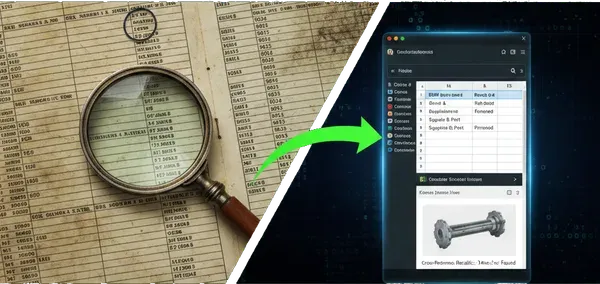
1. The Request
Not all automation projects come from tech-first startups. Sometimes, they come from the backbone of the industry: agriculture. I was contacted on Fiverr by a client who manages spare parts for motorized farming equipment — tractors, tillers, and industrial mowers.
The client had a massive "master list" in Excel containing 3,000+ OEM (Original Equipment Manufacturer) references. The problem? OEM parts are often expensive or out of stock. He needed to find equivalent parts from major aftermarket suppliers: NHP, F1 Distribution, Sodipieces, and Kramp.
Doing this manually across four different supplier catalogs is a soul-crushing job. He needed it automated, and he needed it fast.
2. The "No Walls" Approach
Building a scraper for four different sites is a recipe for disaster if you don't communicate. I adopted an Agile-lite development cycle. Instead of building the whole thing at once, I sent a "Sample of 10" results after the first 24 hours.
Early feedback revealed that the script was finding the right part but the wrong brand variant. By catching this immediately, I adjusted the logic before running the script on 3,000 items — ensuring we didn't waste time going into a wall.
3. Technical Deep Dive
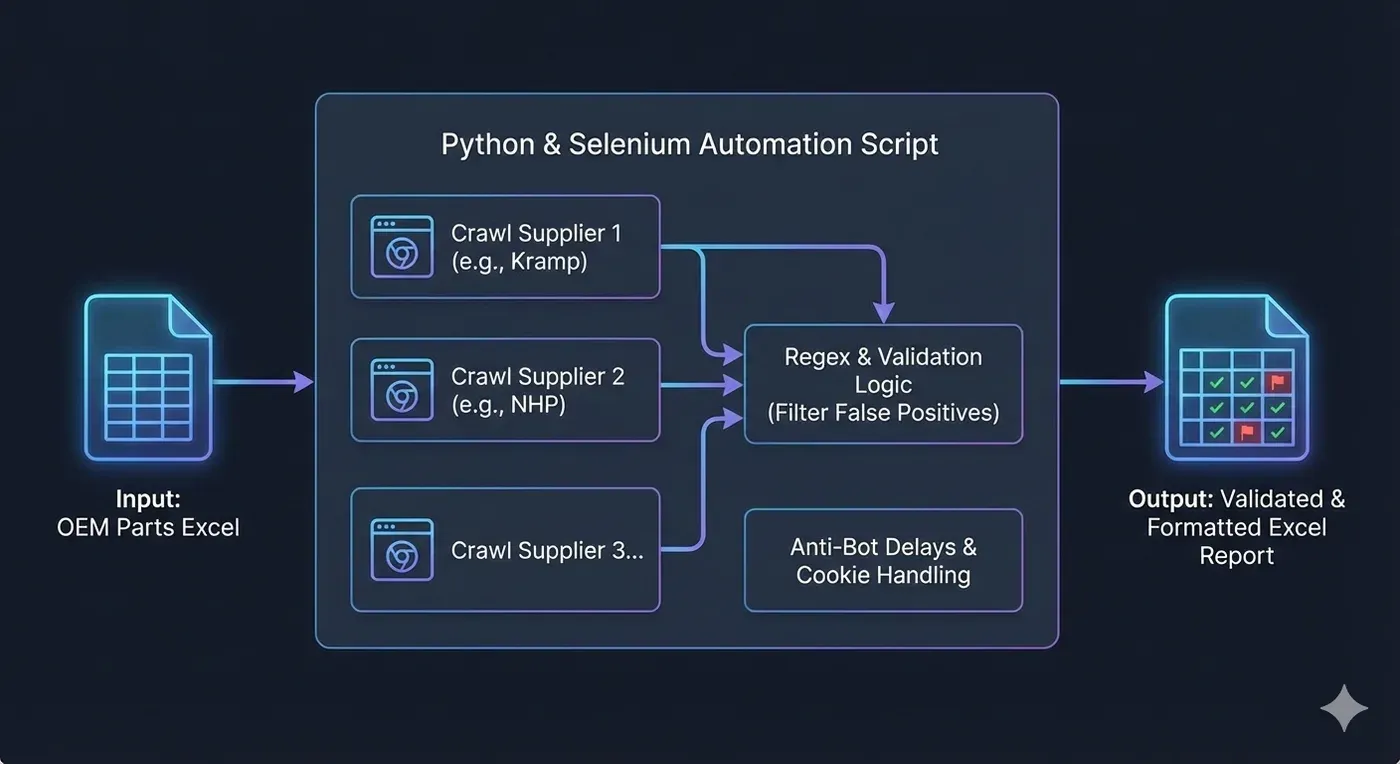
A simplified view of the multi-stage verification process: ensuring the OEM ref isn't just present, but valid.
The Real Challenge: The "Needle in the Haystack"
Finding the OEM page was the easy part. The real challenge was data extraction. Unlike modern API-driven sites, these catalogs are unstructured. The aftermarket reference might be buried in a paragraph, hidden in a spec table, or listed under a "Related Items" tab that only appears sporadically.
Because there was no single consistent location for the data, the script had to ingest the entire page source and perform "digital archaeology" to find the correct reference.
Precision Extraction via the "Regex Sanitizer"
If a description mentioned "Drive Belt - 10x20mm - Fits Model 2025," the bot had to be smart enough to ignore the dimensions and the year. My extract_refs function became a multi-stage filter:
- Dimension Scrubbing: Using regex patterns like
r'\b\d+\s?[x×]\s?\d+\b'to delete "10x20" before looking for IDs. - Unit Stripping: Removing numbers attached to units like "mm" or "kg" to avoid false positives.
- Contextual Prioritization: Giving higher weight to strings appearing near keywords like "Ref:" or "Sodi:".
Avoiding the Ban Hammer
To bypass anti-bot measures on sites like Kramp, I used undetected_chromedriver and implemented randomized sleep timers to mimic human browsing behavior.
# ... inside the main execution loop ...

BATCH_SIZE = 20
output_file = "processed_parts.xlsx"

# 1. RESUMPTION LOGIC
def get_last_processed_index(filename):
    try:
        existing_df = pd.read_excel(filename)
        return len(existing_df)
    except FileNotFoundError:
        return 0

start_index = get_last_processed_index(output_file)

for i in range(start_index, len(master_list), BATCH_SIZE):
    batch = master_list[i : i + BATCH_SIZE]

    for part in batch:
        try:
            # Multi-site scraping logic here
            process_part(part)
        except Exception as e:
            print(f"Error on {part.oem}: {e}")
            continue # Don't let one bad URL kill the 3000-row run

    # 2. CHECKPOINTING
    # Save every 20 items so we never lose more than 10 minutes of work
    save_to_excel(all_results, output_file)
    print(f"Successfully backed up batch ending at index {i + BATCH_SIZE}")
4. Resilience: Surviving the Long Haul
Scraping 3,000+ rows is a war of attrition. If the script crashes at row 2,999 without saving, hours of work are lost. I implemented two safety nets:
- Batch Checkpointing: The script saves to Excel every 20 items. If a crash occurs, the client loses at most a few minutes of data.
- Resumption Logic: The script checks the output file on startup. If it sees 500 rows completed, it automatically jumps to index 501 — full pause-and-resume without reruns.
5. The Result
The final output is a clean complete.xlsx file with found references split by supplier and brand. I used openpyxl to add visual cues:
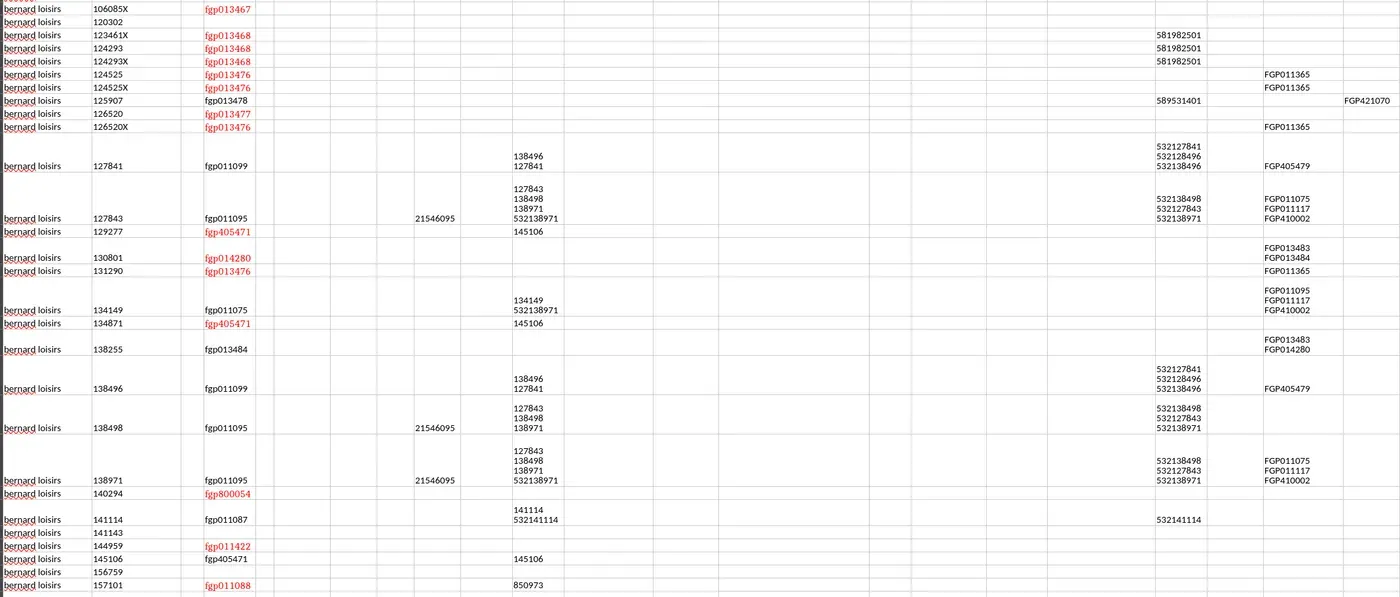
- Confidence Flagging: If a match isn't 100% certain, the script highlights the cell in red for manual verification.
6. Conclusion
This project taught me that client communication and time management are just as vital as Python skills. By iterating quickly with a sample-of-10 feedback loop and building a resilient, crash-safe script, I turned a manual week of work into a background process that finishes in an afternoon — across 3,000+ references, four supplier sites, and zero lost data on crash.